Watchlist Brief: AI stock news summaries you can verify
Catch up on your watchlists in minutes, not hours
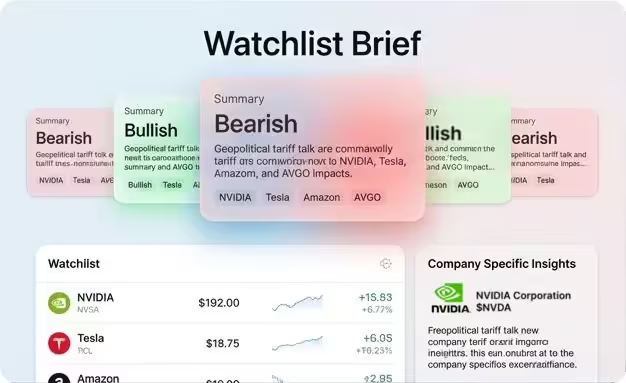
ValueHunter turns the news from a specific date range into a scannable brief with themes + per-stock insights.
Every brief shows article counts and links to sources, so you can verify what matters.
Know what changed since your last check
Get per-stock takeaways instead of an endless feed.
Pick the exact date range (e.g. last 3 days) and regenerate.
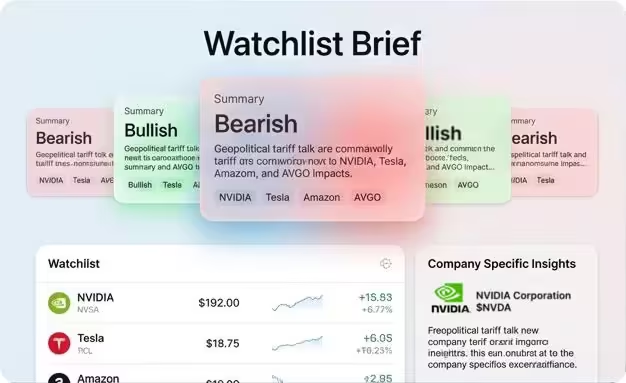
ValueHunter turns the news from a specific date range into a scannable brief with themes + per-stock insights.
Every brief shows article counts and links to sources, so you can verify what matters.
Interactive Demo 🤓
Pre-built Watchlist Briefs
The problem isn’t “lack of news.”
It's too much noise!
A watchlist of 10 stocks can produce more news than you can realistically read.
You either:
skim headlines and miss the real story
waste time reading everything
stop checking and fall behind
ValueHunter is built for the reality that you won’t check in every hour.

What you get in each brief
Designed to be scannable first, and auditable when you need to go deeper.
Most-important first
Quick overview of the most significant developments across your stocks.
Per-stock insights
What changed for each ticker, distilled into a few meaningful takeaways, not an endless feed.
Transparent coverage
How many articles were analyzed for each stock and references to the real news articles.
Configurable time window
Choose how far back to summarize, from your last check to now.
How it works - step by step
Pick your stocks
Create a watchlist of stocks you're interested in. You can have multiple watchlists.
1Pick your stocks
Create a watchlist of stocks you're interested in. You can have multiple watchlists.
- 2
Generate a brief
Select a time window and a watchlist and generate a brief. It is automatically generated for your default watchlist.
We analyze the news
We analyze the news and extract insights for each stock in the watchlist.
3We analyze the news
We analyze the news and extract insights for each stock in the watchlist.
- 4
We synthesize the information
We group the insights by themes and generate a brief that can be easily read and understood.
Done — scan the brief in under a minute
The brief takes no more than a minute to read.
5Done — scan the brief in under a minute
The brief takes no more than a minute to read.
What it feels like
→ You have multiple watchlists
→ You log in every couple days
→ A brief for the period you missed is automatically generated
→ You scan the brief in under a minute.
You are done with this watchlist ✅ and can move on to the next one ➡️
Common ways investors use watchlist briefs
Catch up after time away
If you didn’t check for 2–3 days, generate a brief and see what mattered since your last look.
Earnings week
Generate one brief before earnings (setup), one right after (reaction), and one a week later (what stuck).
Multiple strategies, multiple watchlists
Keep separate lists for dividends, compounders, speculative ideas, and “earnings this month”—and brief each one without mixing contexts.
Regenerate a past window
Review what changed around a key event by regenerating that date range and scanning the themes.
FAQ
How often should I generate a brief?
If you check daily, once per day is enough. If you check every few days, generate one when you return.
Why show article counts?
Because it tells you how much raw information was processed and helps you interpret confidence and noise in a period.
Can I regenerate a past date range?
Yes—use a custom window to review specific periods (earnings week, big moves, etc.).
Generate your first watchlist brief
Add a few tickers, choose a time window, and get a clear summary you can verify.